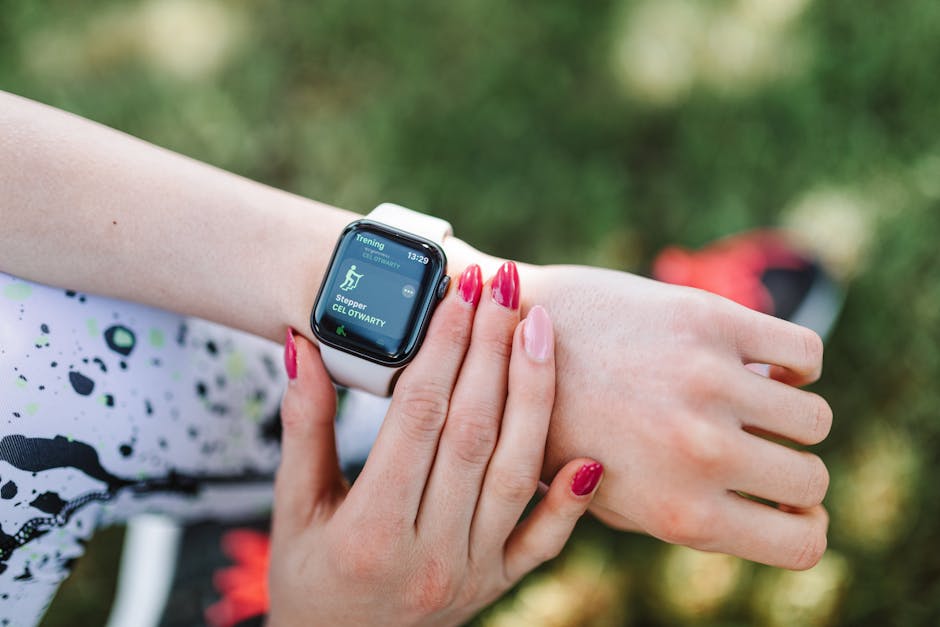
If you have ever finished a 45-minute workout, glanced at your watch, and seen "612 calories burned," you have probably treated that number as a fact. It isn't. Wearable calorie burn estimates are consistently the least accurate feature on fitness trackers, and validation research has found error rates ranging from roughly a quarter to nearly double the real value. This tutorial explains why those numbers miss so badly, then walks you through a simple four-metric system for judging workout intensity and progress without trusting a calorie estimate at all.
Quick takeaways
- A 2017 Stanford study of seven popular fitness trackers found energy expenditure errors between about 27% and 93%, while heart-rate estimates were far closer to the mark.
- The biggest error source is simple: a wrist accelerometer measures arm movement, not whole-body work. Cycling, rowing, pushing a stroller, and carrying loads all break the math.
- Trackers also convert heart rate to calories using population-level formulas that ignore your fitness, body composition, medications, and the afterburn effect (EPOC).
- Better alternatives: rate of perceived exertion (RPE), heart-rate zones, step and activity volume, and weekly trends in body weight or measurements.
- Treat any calorie number on your wrist as a rough range, never a precise budget — especially if you use it to decide how much to eat.
What You Will Learn (and the Finished Outcome)
By the end of this tutorial you will be able to do three things: explain why a wearable's calorie estimate can be wrong by hundreds of calories, run a 20-minute calibration session that teaches you to read your own effort level, and set up a weekly tracking routine that shows real progress without a single calorie count.
Finished outcome: a one-page "progress dashboard" with four numbers — RPE, time in heart-rate zones, weekly activity minutes, and a 2-to-3-week weight or waist trend. It takes about 10 minutes a week to maintain.
What the 2017 Stanford Study Actually Found
The most-cited piece of device-validation research on this topic comes from a Stanford University team led by Dr. Euan Ashley, published in the Journal of Personalized Medicine in 2017. It is the study most often quoted when people say your tracker's calorie count is unreliable — and the numbers are worth understanding in detail rather than as a headline.
The setup
Researchers recruited 60 adults and tested seven wrist-worn devices: the Apple Watch, Basis Peak, Fitbit Surge, Microsoft Band, Mio Alpha 2, PulseOn, and Samsung Gear S2. Participants wore the devices during walking, running, cycling, and seated activity while their true energy expenditure and heart rate were measured with laboratory-grade metabolic equipment. That lab equipment is the benchmark — it measures oxygen consumption and carbon dioxide production directly, which is how real energy expenditure is calculated.
The headline numbers
For energy expenditure, the median error rate across devices ranged from about 27% to 93%. In practical terms, a workout your body actually burned 400 calories on could be reported as anywhere from roughly 300 to more than 750. The best-performing device was still off by more than a quarter on average — and that was under ideal laboratory conditions with a controlled set of activities.
Heart rate held up much better
Heart rate was a different story. Most of the tested devices kept median heart-rate error in the low single digits during walking and running, which is genuinely useful accuracy. Accuracy dropped for cycling and other activities where the wrist is gripping rather than swinging, because optical sensors struggle to read blood flow through a tense, stationary wrist.
The key asymmetry: your wearable is often a decent heart-rate monitor and a poor calorie calculator. That difference is the entire basis for the tracking method later in this tutorial.
Why Wearable Calorie Estimates Go Wrong
Four separate problems stack on top of each other. Each one alone would create error; together they explain why the numbers can be off by hundreds of calories.
Reason 1: Wrist motion is not whole-body work
Most trackers estimate movement from an accelerometer that senses how your arm swings. That works reasonably well for walking and running, where arm swing roughly scales with leg work. It falls apart everywhere else:
- Cycling: your hands are locked on the bars and barely move, so the tracker may log a hard 45-minute ride as light activity.
- Rowing, skiing, and swimming: repetitive, non-walking movement patterns don't match the algorithms' assumptions.
- Pushing a stroller, cart, or wheelchair: the arm is stabilized, not swinging, so the sensor under-counts.
- Carrying groceries or doing loaded carries: real work, invisible to a wrist sensor.
- Strength training: short bursts of effort with lots of rest and little wrist travel.
Meanwhile, activities with lots of arm movement but little metabolic cost — folding laundry, gesturing during a phone call — can register as activity. This is why some people hit 10,000 steps without ever raising their heart rate.
Reason 2: Heart rate gets converted to calories with a population formula
When a device does use heart rate, it translates beats per minute into energy expenditure using a regression equation built from a study group. Two people with identical heart rates can burn very different amounts of energy depending on stroke volume, body size, muscle mass, fitness level, altitude, heat, caffeine, stress, hydration, and medications such as beta blockers that blunt heart rate.
Heart rate also lags behind effort. Sprint intervals show a spike after the work is done, and cardiac drift means the same pace produces a higher heart rate late in a long session. The formula assumes neither of these things.
Reason 3: EPOC and non-exercise activity are nearly invisible
After a hard workout, your body keeps burning extra calories for hours — this is excess post-exercise oxygen consumption, or EPOC. Wearables either ignore it or apply a flat estimate that has little to do with your actual session. On the flip side, non-exercise activity thermogenesis (NEAT) — fidgeting, standing, walking to the kitchen — is a huge and highly individual slice of daily burn that wrist sensors capture poorly. Devices with no heart-rate input effectively assume a resting burn per minute, which is a guess based on your profile data.
Reason 4: The algorithms are closed boxes validated on narrow samples
Manufacturers don't publish their calorie equations, so neither you nor researchers can audit the assumptions inside them. Validation studies also tend to use relatively young, healthy participants, which means accuracy for older adults, people with higher body fat, or people on heart-rate-altering medication is less certain. Optical heart-rate sensors can additionally be affected by skin tone, tattoos, and motion artifacts. Even small errors in the weight, height, age, and sex you entered at setup propagate into every calorie number afterward.
What Wearables Are Actually Good At
Before replacing the calorie display, it's worth knowing which features earn their place on your wrist. These are the ones with the strongest evidence behind them:
- Heart rate during steady walking and running: generally within a few beats per minute for most devices.
- Step counts: reliable enough for tracking volume and consistency over time.
- Activity reminders and streaks: behavior change tools, not measurement tools, but genuinely useful ones.
- Trends over weeks: resting heart rate, sleep duration, and total activity minutes are far more meaningful in aggregate than any single reading.
Notice what's missing from that list: calories. Use the device as a heart-rate monitor and a movement logger, and ignore its energy math.
The Four-Metric System That Replaces Calorie Counting
This is the core of the tutorial. You are going to replace one unreliable number with four reliable ones, each measuring a different part of the picture: how hard it felt, how hard your heart worked, how much you did, and how your body is responding.
Step 1: Learn RPE in one workout
Rate of perceived exertion is a self-reported effort score, usually on a 0-to-10 scale. It sounds fuzzy, but it correlates well with physiological markers like heart rate and blood lactate when you're honest about it — and it works for activities no sensor can measure, like a heavy set of squats.
| RPE | How it feels | Talk test | Typical use |
|---|---|---|---|
| 2-3 | Easy, comfortable | Full conversation | Warm-up, recovery |
| 4-5 | Moderate, steady | Full sentences, slightly breathy | Base cardio, long sessions |
| 6-7 | Challenging | Short phrases only | Tempo work, most strength sets |
| 8-9 | Hard | A few words at most | Intervals, hard final sets |
| 10 | Maximal | No talking | Rare, brief efforts |
Exercise: on your next cardio session, pause at three points and rate your effort out loud before checking your watch. Then check the watch. Write both numbers down. Repeat for a week and you will start predicting your heart rate within a few beats — a skill that costs nothing and works on any machine, anywhere.
Checkpoint: you've got this step down when you can look at your watch mid-session and be within about 10 beats per minute of what it shows, based only on how you feel.
Step 2: Set heart-rate zones that match your body
The 220-minus-age formula for maximum heart rate has a standard deviation of roughly 10 to 12 beats per minute, which is wide enough to shift entire zones. Two better options:
- Use a field test. After a thorough warm-up, run or cycle hard for 20 minutes at the fastest pace you can hold, then use the highest average from the final few minutes as a working max.
- Use heart-rate reserve (Karvonen method). Measure resting heart rate first thing in the morning for three days and average it. Then calculate: (max HR - resting HR) × target percentage + resting HR. This accounts for your actual fitness better than a percentage of raw max.
A simple five-zone model: Zone 1 at 50-60% of max (recovery), Zone 2 at 60-70% (conversational base work), Zone 3 at 70-80% (moderate), Zone 4 at 80-90% (vigorous), and Zone 5 at 90-100% (near-maximal intervals).
Variation for non-cardio workouts: skip zones entirely for lifting, yoga, or sports. Use RPE there instead, since wrist heart rate is least reliable when your hands are gripping a barbell or a racket.
Checkpoint: you can name the zone you spent most of a session in without looking at the app afterward.
Step 3: Track volume and performance, not burn
Two numbers tell you more about progress than any calorie estimate:
- Weekly minutes of moderate-to-vigorous activity. Public health guidelines call for 150-300 minutes per week plus two days of strength work. Just count minutes.
- A performance benchmark. Pick one and repeat it monthly: pace at a fixed easy heart rate, the number of push-ups or squats you can complete in a set, your 5K time, or how much weight you can lift for a target rep range.
If your pace at the same heart rate improves, or you lift more at the same RPE, you are getting fitter — full stop. No calorie figure adds information to that.
Step 4: Track weekly trends in weight and measurements
Daily body weight bounces around by 1-3 pounds because of sodium, carbohydrate intake, glycogen, water, hormones, and digestion. A single reading is noise. A 2-to-3-week rolling average is signal.
- Weigh yourself at the same time each morning, ideally after using the bathroom and before eating.
- Log every number without reacting to it, then average each week.
- Use waist circumference once a week as a second data point, measured at the same spot, same time of day.
- Judge direction over three weeks, not three days. A reasonable pace of loss is around 0.25-1% of body weight per week.
Checkpoint: you can look at three weeks of weight data and describe the trend in one sentence without getting emotional about any single day.
How to Use Wearable Calorie Numbers Without Being Misled
You don't have to delete the calorie screen. You just have to stop treating it as a budget. Four rules keep you out of trouble:
- Convert the number to a range. Assume the true value is somewhere between 30% below and 30% above what's displayed. That 600-calorie reading becomes "roughly 420 to 780."
- Never eat back the burn. This is the most common way tracker error turns into stalled weight loss. Exercise estimates tend to be inflated, and people often overcompensate with food afterward anyway.
- Set nutrition targets independent of workout days. Pick an intake, hold it steady for two to three weeks, and adjust based on your weight trend — not on what your watch said after spin class.
- Ignore calorie rankings, streaks, and leaderboards. They reward inflated numbers, which is the opposite of useful feedback.
A 14-Day Practice Plan
Here is how to run all four steps together for two weeks, starting today:
- Days 1-3: establish your average morning resting heart rate and pick a performance benchmark.
- Day 4: do a max-heart-rate field test if you're healthy enough for hard efforts (check with a clinician first if you have any cardiovascular concerns), or keep using the 220-minus-age estimate with a wide margin.
- Days 5-11: rate RPE out loud at three points in every cardio session, then compare to your heart rate afterward. Log weekly activity minutes.
- Days 12-14: pull together your dashboard — average RPE distribution, minutes in Zones 2 and 4-5, total activity minutes, and your rolling weight or waist trend.
- Day 14 review: compare your benchmark to where it started and adjust next week's plan based on the trend, not on any calorie total.
Frequently Asked Questions
Do fitness trackers overestimate or underestimate calories burned?
Both, depending on the device and the activity. Wrist-motion algorithms tend to miss work when your arms are stable — cycling, rowing, carrying loads — and can miscount non-exercise movement. Because the error runs in both directions with no reliable pattern, a range is always more honest than a single number.
Are wearable heart-rate monitors accurate enough to train with?
For steady walking and running, most mainstream devices are accurate within a few beats per minute, which is good enough for zone training. Expect worse accuracy for cycling, high-intensity intervals, and any activity where the wrist is flexed or gripping. A chest strap remains the most reliable consumer option when precision matters.
How many calories does a 30-minute workout really burn?
It varies enormously with body size, fitness, and effort — but as a sanity check, a moderate 30-minute session for an average adult typically falls in the low hundreds, not the high hundreds. If your device reports dramatically more, that's a sign to distrust the screen rather than celebrate it.
Should I eat back the calories my watch says I burned?
No. Use a fixed nutrition target and adjust it every two to three weeks based on your actual weight trend. Eating back an inflated burn estimate is one of the most common reasons people plateau despite consistent exercise.
Can I use my tracker for weight loss at all?
Yes — just not the calorie feature. Use it for heart-rate-guided intensity, step and activity volume, consistency streaks, and long-term trends in resting heart rate and sleep. Those signals are useful; the calorie readout is decoration.
Your Next Step
Tonight, open your tracker app and find the heart-rate screen. Set a reminder to rate your effort out loud three times during tomorrow's workout, then check whether the number matches what you felt. Do that for a week, add your weekly activity minutes and a rolling weight or waist trend, and you will have a progress system that is more useful than any calorie estimate — and completely independent of it.